Don’t have our prompts yet? Download the free 50 ChatGPT Prompts PDF here
You’re staring at your essay at 11 PM. The ideas are there, but the writing feels clunky. Your grammar is questionable. And you have no idea if you accidentally plagiarized something you read three days ago.
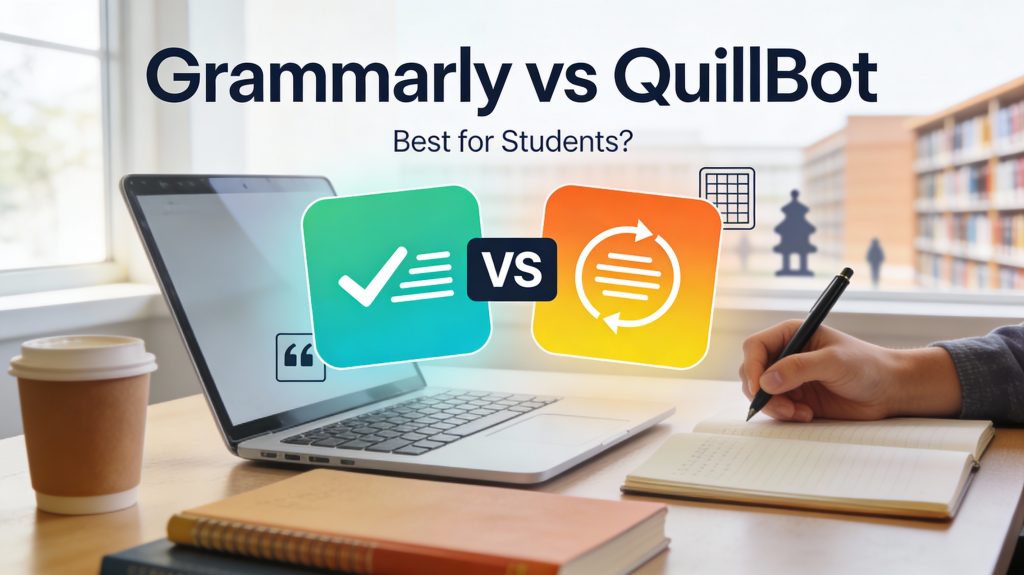
Enter Grammarly and QuillBot—the two AI writing assistants every student is talking about. But here’s the problem: they do completely different things, unlike general AI tools like ChatGPT for students, and most students waste money on the wrong one.
In this guide, you’ll learn:
- What Grammarly and QuillBot actually do (and what they don’t)
- Which tool is better for essays, research papers, and daily writing
- The honest pros and cons of each (no fluff)
- How to use them together for perfect writing
TL;DR: Grammarly is your editor. QuillBot is your rewriter. Students who master both get better grades with less stress.
Table of Contents
ToggleWhat is Grammarly?
Grammarly is an AI-powered grammar checker, plagiarism detector, and tone analyzer. Think of it as your personal writing coach that catches mistakes you’d never notice.
What Grammarly Does:
✅ Fixes grammar, spelling, and punctuation errors
✅ Detects plagiarism (Premium only)
✅ Suggests better word choices
✅ Analyzes tone (e.g., “This sounds too casual for an academic paper”)
✅ Provides clarity and engagement scores
What Grammarly Does NOT Do:
❌ Rewrite sentences to avoid plagiarism
❌ Paraphrase text
❌ Generate new content
Best For: Students who need to polish final drafts, catch typos, and ensure their writing is professional.
Pricing:
- Free: Basic grammar and spelling checks
- Premium: $12/month (students get 20% off) – includes plagiarism detection
What is QuillBot?
QuillBot is an AI paraphrasing tool and summarizer. Its job is to rewrite text while keeping the original meaning—perfect for avoiding accidental plagiarism or improving flow.
What QuillBot Does:
✅ Paraphrases text in multiple styles (Standard, Fluency, Creative)
✅ Summarizes long articles or research papers
✅ Generates citations (APA, MLA, Chicago)
✅ Checks grammar (basic)
✅ Co-Writer feature (writing assistant)
What QuillBot Does NOT Do:
❌ Detect plagiarism
❌ Analyze tone or clarity
❌ Catch complex grammar issues
Best For: Students who need to rephrase research, improve sentence variety, or summarize sources quickly.
Pricing:
- Free: 125 words per paraphrase
- Premium: $8.33/month (annual plan) – unlimited paraphrasing
Grammarly vs QuillBot: Head-to-Head Comparison
| Feature | Grammarly | QuillBot |
|---|---|---|
| Grammar Checking | ⭐⭐⭐⭐⭐ Best in class | ⭐⭐⭐ Basic (good enough) |
| Paraphrasing | ❌ Not available | ⭐⭐⭐⭐⭐ Core feature |
| Plagiarism Detection | ✅ Premium only ($12/mo) | ❌ Not available |
| Tone Analysis | ✅ Yes (Academic, Professional) | ❌ No |
| Summarizer | ❌ No | ✅ Yes (Key feature) |
| Free Version | Good for basic checks | Limited to 125 words |
| Premium Price | $12/month | $8.33/month (annual) |
| Best For | Final editing and polish | Rewriting and paraphrasing |
| Tool | Best For | Price | Try It |
|---|---|---|---|
| Paperpal | Research papers & academic writing | $12/mo (PAP20 = 20% off) | Try Free |
| Simplified | Writing + Design (presentations) | $12/mo | Try Free |
| Originality.ai | AI detection checker | $15/mo | Try Free |
Which Tool Should You Use?
The answer depends on what you’re trying to do.
Use Grammarly If:
- ✅ You need to catch grammar and spelling mistakes
- ✅ You want to check for plagiarism before submitting
- ✅ Your professor requires academic tone (formal writing)
- ✅ You’re writing emails, resumes, or professional documents
Real Example: You wrote your essay, but you’re not sure if it sounds “academic” enough. Grammarly will analyze your tone and suggest more formal vocabulary.
Use QuillBot If:
- ✅ You need to paraphrase research to avoid plagiarism
- ✅ Your writing feels repetitive and you need sentence variety
- ✅ You want to summarize long articles quickly
- ✅ You’re rewriting rough drafts to improve flow
Real Example: You found the perfect quote in a journal article, but you can’t use it directly. QuillBot rephrases it while keeping the meaning intact.
The Winning Strategy: Use Both Together
Here’s the workflow top students use:
Step 1: Write your rough draft (Use your brain, not AI).
Step 2: Use QuillBot to rephrase awkward sentences and improve flow.
Step 3: Use Grammarly to catch grammar errors, check plagiarism, and polish tone.
Step 4: Submit with confidence.
This combo costs $20/month total. Cheaper than a single tutoring session, and you can use it for every assignment all semester.
Grammarly vs QuillBot: Pros and Cons
Grammarly
Pros:
- Industry-leading grammar detection
- Plagiarism checker (Premium)
- Works everywhere (Google Docs, Word, Gmail, browser)
- Academic tone suggestions
Cons:
- More expensive ($12/mo)
- Doesn’t paraphrase text
- Free version is limited
QuillBot
Pros:
- Best paraphrasing tool for students
- Built-in summarizer and citation generator
- Cheaper than Grammarly ($8/mo)
- Co-Writer feature for research papers
Cons:
- Grammar checking is basic
- No plagiarism detection
- Free version only allows 125 words
For Research Papers: Consider Paperpal Instead
Grammarly and QuillBot are great for essays, but if you’re writing research papers or thesis chapters, Paperpal is purpose-built for academic writing.
What Paperpal does better:
- ✅ Suggests academic phrasing and terminology
- ✅ Checks citation formatting (APA, MLA, Chicago)
- ✅ Detects plagiarism AND AI-generated text
- ✅ Understands scientific/technical writing
Pricing: $12/month (similar to Grammarly)
Student discount: Use code PAP20 for 20% off all plans.
When to use Paperpal:
- Writing a thesis or dissertation
- Publishing research papers
- Non-native English speaker writing academically
- Need strict academic tone enforcement
Frequently Asked Questions
Can I use Grammarly and QuillBot together?
Yes! Most students use QuillBot for rewriting, then run the final draft through Grammarly for grammar and plagiarism checks.
Does QuillBot detect plagiarism like Grammarly?
No. QuillBot paraphrases text, but it doesn’t check if your writing is original. You’ll need Grammarly Premium or Turnitin for plagiarism detection.
Which is better for essays?
Grammarly for final editing. QuillBot for improving sentence structure and avoiding repetitive phrasing.
Are these tools considered cheating?
Using them to edit and improve your own writing is allowed. Using them to generate content you didn’t write is plagiarism. Always check your school’s AI policy.
⚠️ Important: Check for AI Detection Before Submitting
Neither Grammarly nor QuillBot can tell you if your work will be flagged as AI-generated by Turnitin.
If you used ChatGPT or other AI tools to help write your essay, run it through Originality.ai first. It’s the same detection tool many professors use.
Why this matters:
- Turnitin now has AI detection built-in
- Getting flagged can mean automatic failure or academic misconduct charges
- Better to check yourself before submitting
👉 Check Your Work with Originality.ai
Final Verdict: Which One Should You Buy?
If you can only afford one:
- Choose Grammarly if you struggle with grammar, spelling, or academic tone.
- Choose QuillBot if you need help paraphrasing research or rewriting rough drafts.
If you can afford both ($20/month):
- Get both. The combination is unbeatable for students.
If you’re on a tight budget:
- Use Grammarly Free for basic grammar checks.
- Use QuillBot Free (125 words at a time) for occasional paraphrasing.
Our Complete Student Writing Stack
Here’s what smart students actually use:
The Budget Stack ($20/month):
- QuillBot Premium ($8/mo) – Paraphrasing and flow
- Simplified ($12/mo) – Writing + design for presentations
The Premium Stack ($27/month):
- Grammarly Premium ($12/mo) – Grammar and plagiarism
- Originality.ai ($15/mo) – AI detection check
The Academic Stack ($24/month):
- Paperpal ($12/mo with PAP20) – Research paper writing
- QuillBot ($8/mo) – Sentence variety
- Originality.ai ($15/mo) – Pre-submission check
Most students? Start with QuillBot free version + ChatGPT (free). Upgrade to Grammarly or Paperpal when you have a big assignment due.
🎯 Ready to Write Better Essays?
Stop wasting hours second-guessing your grammar and struggling with writer’s block.
👉 Try Grammarly Premium (20% Student Discount)
👉 Try QuillBot Premium (Free Trial Available)
Want more writing tips? Download our FREE 50 ChatGPT Prompts for Students toolkit to supercharge your productivity.